Saezuri
A living collage of the birds you’re hearing.
A self-hosted display for your BirdNET-Go instance. It watches recent detections and arranges the species you’re hearing into a woodblock-style collage — each bird sized by how often it calls.
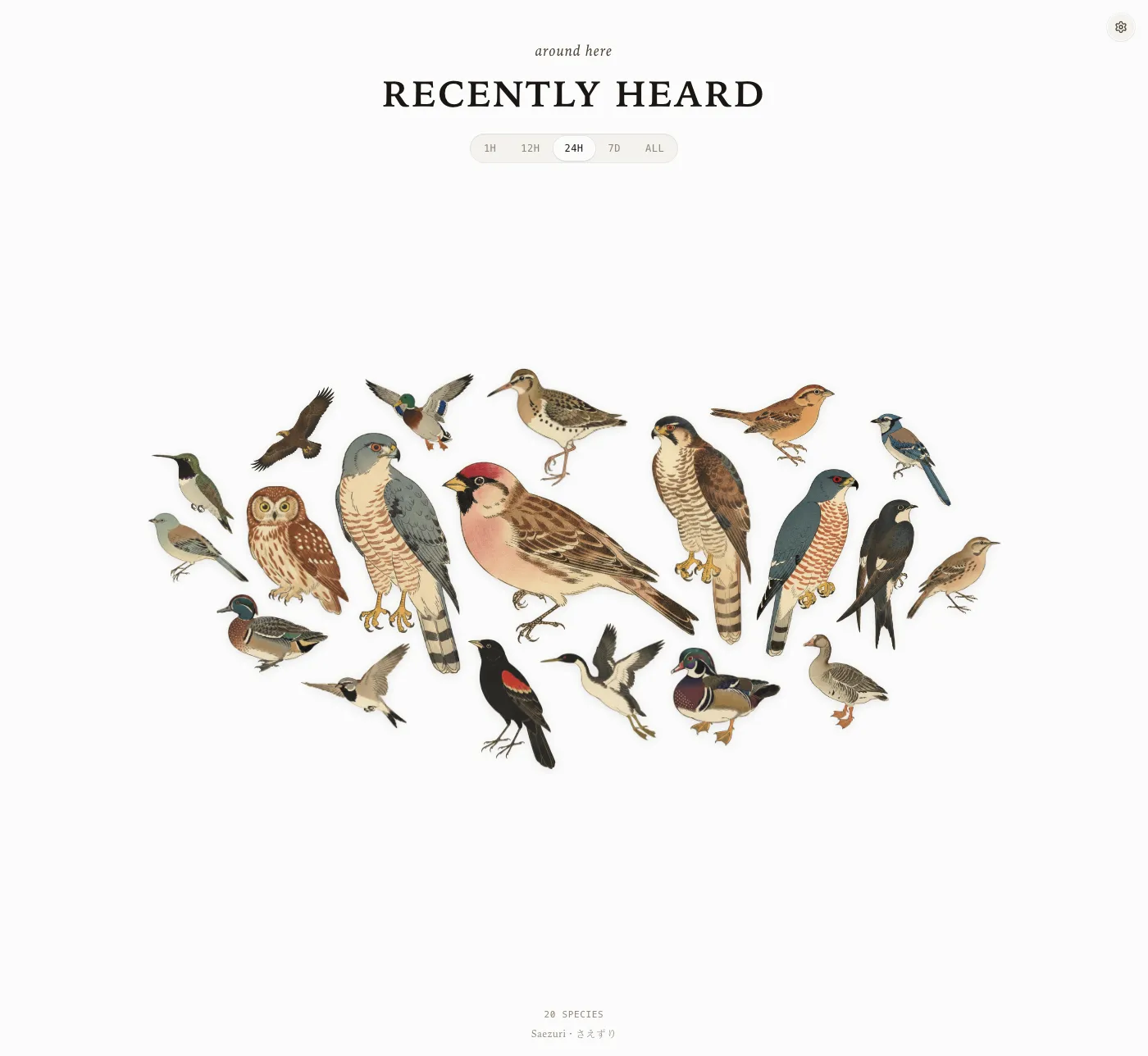
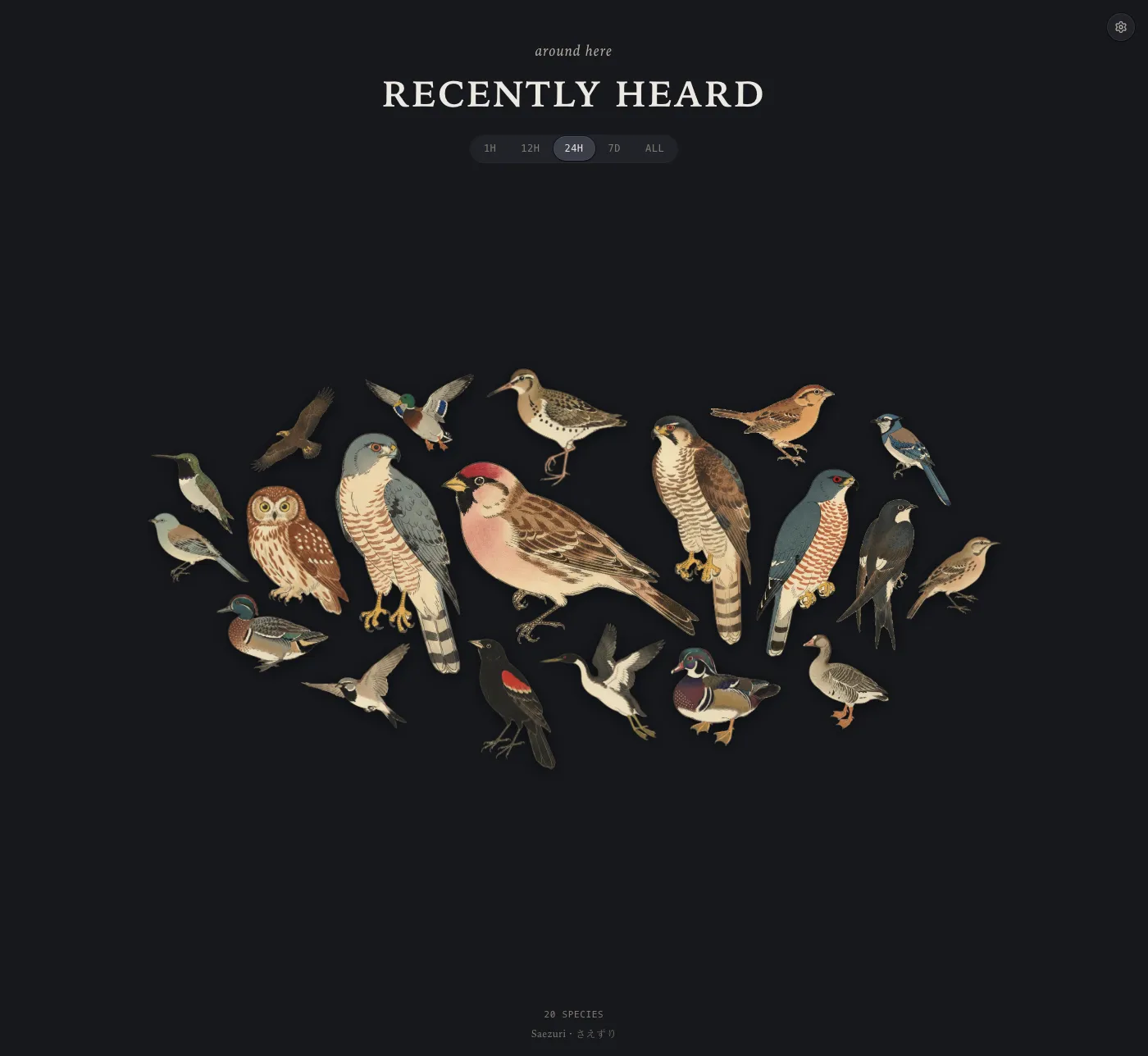
The last 24 hours, one bird per species — larger means heard more often.
What it does
A calm, glanceable view of your local birdlife
Point it at BirdNET-Go and leave it on a screen. Everything runs on your own network — no account, no cloud, no writes.
Sized by what you hear
Each species grows with its detection count in the chosen window, so the regulars you hear most anchor the plate.
Silhouette collage
Birds nest by their actual outline, not bounding boxes — they cluster tightly and organically without ever overlapping.
Live and hands-off
Re-reads the snapshot every 12 seconds and re-packs as new birds arrive. Pauses when the tab isn't visible; refreshes the moment it is.
Time windows
Flip between the last hour, 12 hours, 24 hours, 7 days, or all-time to see who has been around — each one its own shareable URL.
Art arrives on its own
The moment a species is heard, its ready-made kachō-e cutout is downloaded for you — free, no key. Add a model API key and anything the library lacks is generated in the same style instead — through OpenRouter, or a model on your own hardware.
Hear what you see
Pick a bird for a card with its counts, when it called, and a play button for a freely-licensed reference recording — cached on your own server, recordist credited.
Names in your language
Species names follow your browser language, in any of the 16 locales BirdNET-Go ships dictionaries for, with a picker to override it.
E-ink friendly
Every window is also a chrome-free PNG at a fixed pixel size, so a small panel can just fetch and show it.
Light & dark
A warm-paper day theme and a charcoal night theme, following your display — easy on a wall screen at any hour.
Self-hosted & read-only
The browser only ever talks to its own origin; a background service reads from your instance and serves only static files. No auth on a LAN, optional token for private setups.
Runs anywhere
One small multi-arch container (amd64 + arm64), happy on a Raspberry Pi and over plain HTTP.
Install
Two ways to run it
Either way you’ll need a running BirdNET-Go instance on your network.
Home Assistant
Saezuri is available as a Home Assistant App (previously Add-on). Add this repository to your app store, install Saezuri, and it appears in the sidebar.
https://github.com/vrwrts/saezuri
Saezuri as a Home Assistant App is best paired with the community-built BirdNET-Go Home Assistant app. Saezuri looks for a BirdNET-Go App on startup and will work with it without any configuration needed from you. Alternatively, set BirdNET-Go URL to your instance and leave everything else alone.
Every setting outlined below is available as an option, under the same name in lower case. The full list, including what to do when detection picks the wrong instance, is in the app docs.
Docker
Point Saezuri at BirdNET-Go with a single environment variable.
Run the container (use your instance’s address):
docker run -d -p 8090:8080 \
  -e BIRDNETGO_URL=http://192.168.1.10:8080 \
  -v saezuri-illustrations:/data/illustrations \
  -v saezuri-calls:/data/calls \
  ghcr.io/vrwrts/saezuri:latest
…or with Docker Compose:
services:
  saezuri:
    image: ghcr.io/vrwrts/saezuri:latest
    ports: ["8090:8080"]
    environment:
      BIRDNETGO_URL: http://192.168.1.10:8080
    volumes:
      - saezuri-illustrations:/data/illustrations
      - saezuri-calls:/data/calls
    restart: unless-stopped

volumes:
  saezuri-illustrations:
  saezuri-calls:
The two volumes keep the illustrations and reference recordings it collects, so replacing the
container doesn’t start it over. Then open http://localhost:8090 — 8090
rather than 8080, because 8080 is BirdNET-Go’s own default and the two often share a
host. Only one setting is required:
| Variable | Required | Description |
|---|---|---|
BIRDNETGO_URL | yes | Base URL of your BirdNET-Go instance, e.g. http://192.168.1.10:8080. |
BIRDNETGO_TOKEN | no | Token for a private (PrivateMode) instance. Used by the background service — never sent to the browser. |
All settings
Everything else has a working default. Set only what you want to change. Under Home
Assistant these are options with the same names in lower case, for example
frame_width.
Illustrations
| Variable | Default | Description |
|---|---|---|
ILLUSTRATIONS_REPO | vrwrts/saezuri-illustrations | Repo the free pre-made cutouts are downloaded from. Set it empty to turn downloading off. |
ILLUSTRATIONS_REF | main | Branch or release tag to pull art from. Pin a tag for a fixed art set. |
ILLUSTRATIONS_BASE_URL | derived | Overrides the download base URL entirely. For testing against a local file server. |
GENERATE_API_KEY | unset | API key for the image model. Set it to also generate art, in the same style, for species the library lacks. You pay for what it generates. |
GENERATE_API_URL | https://openrouter.ai/api/v1 | Any OpenAI-compatible chat/completions base URL, including one on your own network — which is how you generate art locally. |
GENERATE_MODEL | google/gemini-2.5-flash-image | Which model draws the birds. The default is the one the style was tuned against. |
GENERATE_SLEEP | 6 | Seconds between model calls, to stay under your provider's rate limit. The throughput knob. |
Reference calls
| Variable | Default | Description |
|---|---|---|
CALL_PROVIDERS | commons | Archives to look recordings up in, tried in order. Only Wikimedia Commons today. Set it empty to stop all outbound lookups — here, empty means off rather than all. |
CALLS_MAX_PER_CYCLE | 4 | Cap on species looked up per batch. |
E-ink frames
| Variable | Default | Description |
|---|---|---|
FRAME_WIDTH | 800 | Frame width in device pixels — set it to your panel. 700 or less switches to portrait packing. |
FRAME_HEIGHT | 480 | Frame height in device pixels. |
FRAME_BG | #fcfcfb | Background fill. Use something like #17181c for a dark panel. |
FRAME_SHADOW | 1 | Per-tile drop shadow; 0 disables it, which some quantized panels prefer. |
FRAME_WINDOWS | all five | Which windows to render, e.g. 7d for a single-purpose panel. |
Display languages
| Variable | Default | Description |
|---|---|---|
SPECIES_DICT_LOCALES | all 16 | Which BirdNET-Go name dictionaries to publish for the browser to use. Narrow it to save disk and bandwidth, e.g. de,nl,en. |
Refresh cadence
| Variable | Default | Description |
|---|---|---|
PUBLISH_DEBOUNCE_MS | 20000 | Minimum gap between publishes triggered by new detections. |
AGING_INTERVAL_MS | 120000 | Periodic republish, so windows shed detections that aged out. |
SUMMARY_INTERVAL_MS | 1800000 | How often the all-time summary — the one expensive call — is refreshed. |
Paths
| Variable | Default | Description |
|---|---|---|
FRAME_HTML_DIR | /usr/share/nginx/html | Root the background service publishes into. The image default is right; change it only outside Docker. |
CACHE_DIR | /var/cache/saezuri | Scratch directory for the illustration pipeline. |
PYTHON_BIN | python3 | Interpreter used to run the pipeline. |
WORKER_SCRIPT | /opt/saezuri/pipeline/worker.py | Pipeline entry script. |
Neither kind of setting fails loudly: a number that isn’t greater than zero falls back
to its default, and a comma-list naming nothing valid falls back to the full set — so
FRAME_WINDOWS=6h renders every window rather than erroring.
CALL_PROVIDERS is the deliberate exception, where empty means off.